

App compressor

Download from PortableApps.com
Version 3.17 for Windows, English
3MB download / 9MB installed
Notes | Antivirus Scan | Details
Runs anywhere (cloud, removable, local) without 'installing'. Use the PortableApps.com Platform for easy installs and automatic updates.
 - Support PortableApps.com development & hosting
Description
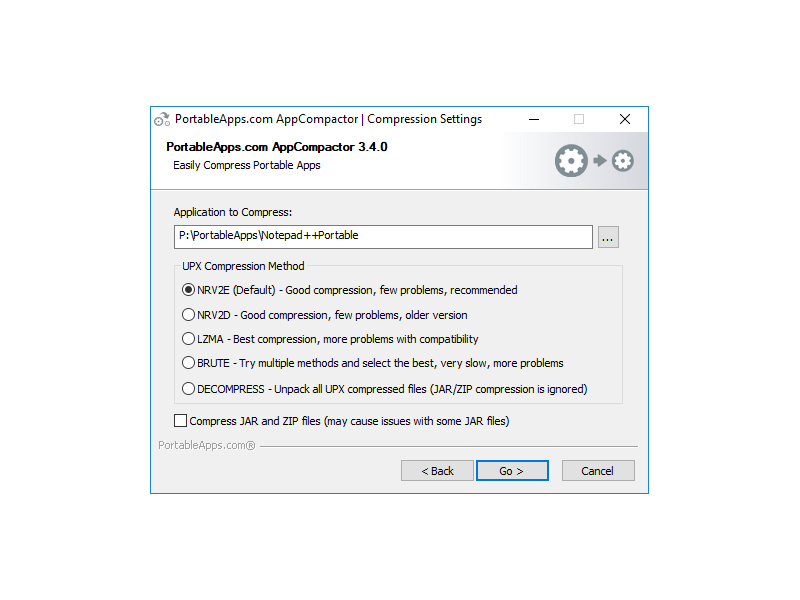
PortableApps.com AppCompactor allows you to easily compress application to decrease size on disk and increase performance when running from a slow media (like flash drives). It features:
- Proven UPX binary compressor
- 7-Zip compression of archives
- Multiple compression levels
- Automatic testing of compressed files
- Automatically skips <4K files (no space savings)
- Add inclusions/exclusions using PortableApps.com Format
- Compression of DLL, EXE, ZIP, JAR, IRC, PYD and BINs in all directories
- Automatically skip launcher if selecting PortableApps.com Format apps' base directory
- Automatically excludes Visual C++ runtimes and Qt image handlers
- Saving up to 50% or more installed space of many apps
- Faster application starts from flash drives
- The same technology we formerly used in OpenOffice.org Portable, Pidgin Portable, GIMP Portable and more!
App Notes
Deprecated: We've deprecated use of the AppCompactor for official releases.
Helpful tips:- Don't compress NSIS launchers (FirefoxPortable.exe, etc), they'll break
- It's best to have the app you're compressing reside on a hard drive (at least temporarily) rather than a flash drive to improve performance and decrease writes to your flash drive
- You can disable the Welcome screen or have the console window stay by editing the settings.ini in the Data directory
- NRV2E is recommended as it is the least likely to break things in our testing
- Always back up your files before using this tool as it will not work with all applications.
HowTo: The AppCompactor.ini can reside in the AppInfo directory alongside the AppInfo.ini and Installer.ini. An example of the file follows:
[PortableApps.comAppCompactor]
FilesExcluded=msvcm90.dll|msvcp90.dll|mscvr90.dll
AdditionalExtensionsExcluded=pyd|irc
AdditionalExtensionsIncluded=example|beta
Within the [PortableApps.comAppCompactor] section:
FilesExcluded are any files you would like excluded from an AppCompactor run separated by pipes |.
Note that the files listed in the example are excluded by default (Visual C++ runtime 9.0) as well as the 7.1, 8.0, and 10.0 versions of the same files.
AdditionalExtensionsExcluded is any additional types of files (extensions) that you would like to exclude from the compaction separated by pipes |.
AdditionalExtensionsIncluded is any additional types of files (extensions) that you would like to include in the compaction separated by pipes |.
CompressionFileSizeCutOff is the cutoff point at which to ignore files for compression in bytes. The default is 4096, meaning files 4K in size and smaller are ignored.
Download Details

- Publisher: PortableApps.com
- Date Updated: 2026-06-29
- Date Added: 2008-03-20
- System Requirements: Windows XP, Vista, 7, 8, 10, 11 & WINE
- App License: Open Source (GPL)
- Source: UPX, 7-Zip, Launcher source included, PortableApps.com Installer
- SHA256 Hash: b622dafd28c1ac2398e9bb09788b0f0d674a20772982f74f04b027573099f7af
PortableApps.com AppCompactor is a trademark of Rare Ideas, LLC
 Visit the Community page
 Join our forums
 Subscribe to our email newsletter
 Subscribe with RSS
 Follow us on BlueSky
 Follow us on Facebook
 Follow us on LinkedIn
 Follow us on Mastodon