
development text editor

Download from PortableApps.com
Version 8.9.6.4 for Windows, Multilingual
11MB download / 24-37MB installed
Notes | Antivirus Scan | Details
Runs anywhere (cloud, removable, local) without 'installing'. Use the PortableApps.com Platform for easy installs and automatic updates.
 - Support PortableApps.com development & hosting, - Support Notepad++ development
Description
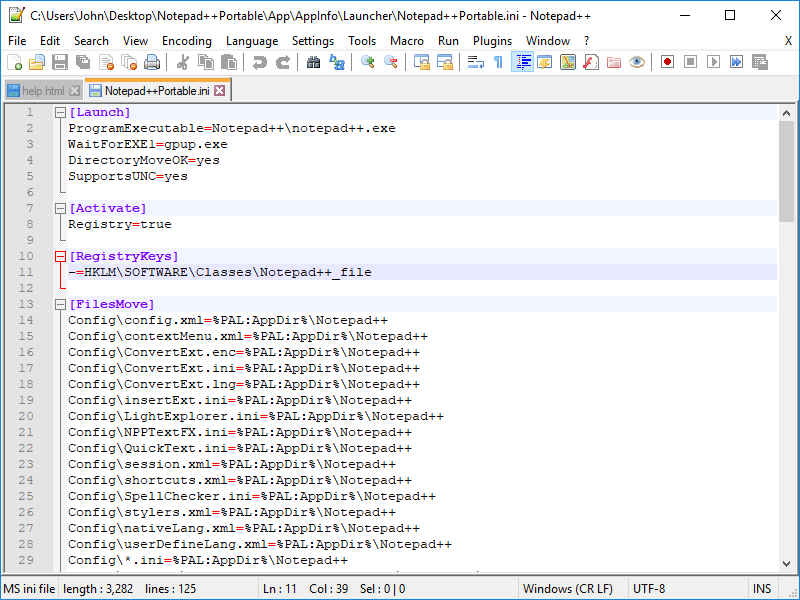
Notepad++ Portable is a full-featured text editor with features like: Syntax Highlighting and Syntax Folding, User Defined Syntax Highlighting and Folding, PCRE (Perl Compatible Regular Expression) Search/Replace, customizable GUI with vertical tab and vertical document list, Document Map, Auto-completion: Word completion, Function completion and Function parameters hint, Multi-Document (Tab interface), Multi-View, WYSIWYG (Printing), Zoom in and zoom out, Multi-Language environment supported, Bookmarks, Macro recording and playback, Launch with different arguments, and more. Both the 32-bit and 64-bit versions are included for best feature support.
App Notes
Plugin Admin: When using the Notepad++ plugin admin, after Notepad++ restarts, close it, wait a moment, and then reopen it. It tends to break out of portablization on many systems.
Theme Customization: Notepad++ oddly alters its own themes files when you make changes using the Style Configurator. These will be lost on upgrades as newer themes are copied in. To get around this strange behavior, while Notepad++ is closed, open up your Notepad++Portable\Data\themes directory. Copy and paste the ThemeYouWant.xml file and name it ThemeYouWant-custom.xml. Then open up Notepad++ Portable and select this new theme from the Style Configurator. You'll be able to customize it ongoing without it being overwritten. It won't get any updates from the publisher, of course, though the original ThemeYouWant will.
Download Details

- Publisher: Notepad++ Contributors & PortableApps.com
- Date Updated: 2026-06-05
- Date Added: 2007-07-05
- System Requirements: Windows 7, 8, 10, 11
- (Legacy Download: Windows Vista: 8.4.6, Windows XP: 7.9.2)
- App License: Open Source (GPL)
- Source: Notepad++, PortableApps.com Launcher, PortableApps.com Installer
- SHA256 Hash: a2e7f24df97257274bae9bc568dfef5afa3d60e2579eb1c52ea681d9fcf1cbfb
 Visit the Community page
 Join our forums
 Subscribe to our email newsletter
 Subscribe with RSS
 Follow us on BlueSky
 Follow us on Facebook
 Follow us on LinkedIn
 Follow us on Mastodon