

full-featured password manager

Download from PortableApps.com
Version 1.43 for Windows, Multilingual
2MB download / 4MB installed
Notes | Antivirus Scan | Details
Runs anywhere (cloud, removable, local) without 'installing'. Use the PortableApps.com Platform for easy installs and automatic updates.
Also Available: KeePass Pro
 - Support PortableApps.com development & hosting, - Support KeePass development
Description
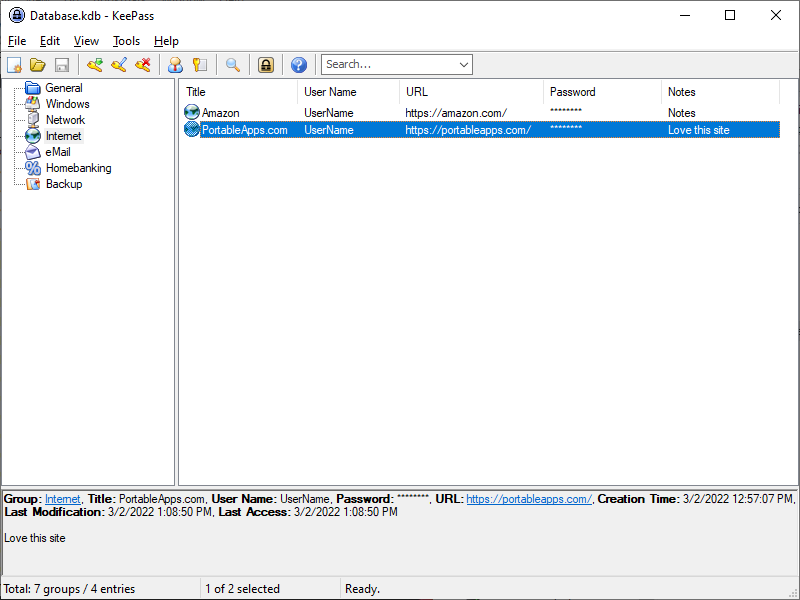
KeePass is a free/open-source password manager or safe which helps you to manage your passwords in a secure way. You can put all your passwords in one database, which is locked with one master key or a key-disk. So you only have to remember one single master password or insert the key-disk to unlock the whole database. The databases are encrypted using the best and most secure encryption algorithms currently known (AES-256 and Twofish).
Download Details

- Publisher: KeePass Team & PortableApps.com (John T. Haller)
- Date Updated: 2025-04-14
- Date Added: 2007-03-05
- System Requirements: Windows XP, Vista, 7, 8, 10, 11
- App License: Open Source (GPL)
- Source: KeePass, PortableApps.com Launcher, PortableApps.com Installer
- SHA256 Hash: dbd517d984f40961b68e610bfe5ac9ba84add2d43c1b9efcaadd9779261b95c9
 Visit the Community page
 Join our forums
 Subscribe to our email newsletter
 Subscribe with RSS
 Follow us on BlueSky
 Follow us on Facebook
 Follow us on LinkedIn
 Follow us on Mastodon