

image editor

Download from PortableApps.com
Version 3.2.4 for Windows x64, Multilingual
94MB download / 408-491MB installed
Notes | Antivirus Scan | Details
Runs anywhere (cloud, removable, local) without 'installing'. Use the PortableApps.com Platform for easy installs and automatic updates.
Also Available: GIMP Portable Photoshop Layout
 - Support PortableApps.com development & hosting, - Support GIMP development
Description
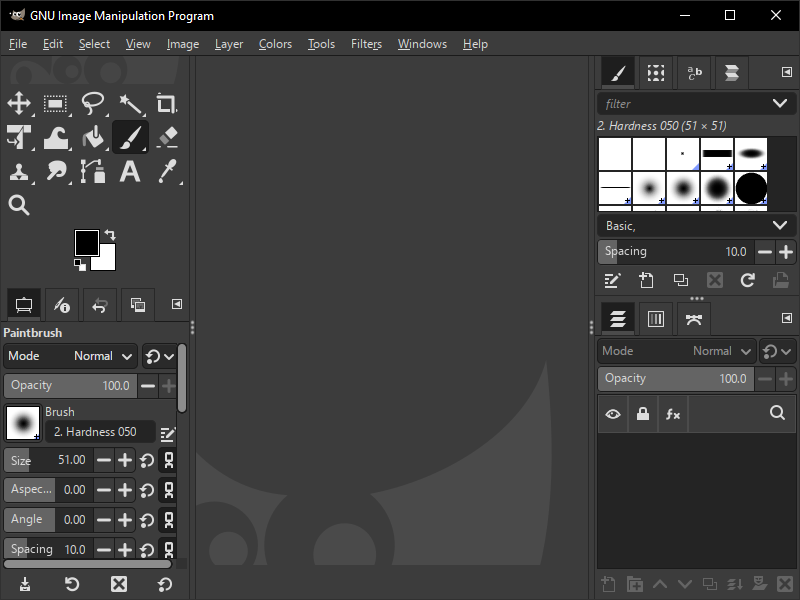
The GIMP (GNU Image Manipulation Program) is a freely distributed program for such tasks as photo retouching, image composition and image authoring. It has many capabilities. It can be used as a simple paint program, an expert quality photo retouching program, an online batch processing system, a mass production image render-er, an image format converter, etc.
App Notes
Offline Help: Offline help is available as an English-only add-on (version 3.0.2).
Adding Plugins and Scripts: In a local install of GIMP, user plug-ins and scripts are typically installed to the plug-ins and scripts directories within C:\Users\USER\AppData\Roaming\Gimp\3.0\. In GIMP Portable, these directories would be X:\PortableApps\GIMPPortable\Data\GimpAppData\
Resynthesizer Plugin: Some users have had issues installing the multi-part Resynthesizer plugin in the past and it's never been officially built for GIMP 3.0 for Windows. We have an build of GIMP Portable Resynthesizer Plugin 3.0 - 2025-06-05 that should work for most people. Note that it can occasionally cause gdbus to be stuck running after GIMP is closed and will require using Task Manager to shut it down.
Non-ANSI Paths: GIMP can not run from a location with non-ANSI characters in the path (accents, etc). This affects both local and portable installs.
Download Details

- Publisher: GIMP Team & PortableApps.com (John T. Haller)
- Date Updated: 2026-04-24
- Date Added: 2006-10-28
- System Requirements: Windows 10, 11 (64-bit Only)
- (Legacy Download: Windows 10 32-bit: 3.2.0,Windows 7/8: 2.10.38-1, Windows XP/Vista: 2.8.22)
- App License: Open Source (GPL)
- Source: GIMP, PortableApps.com Launcher, PortableApps.com Installer
- SHA256 Hash: d75bbbcd28eef9fc7a9774282857cd9a420b29ad93fb691eaafac1cf1bbd4d51
 Visit the Community page
 Join our forums
 Subscribe to our email newsletter
 Subscribe with RSS
 Follow us on BlueSky
 Follow us on Facebook
 Follow us on LinkedIn
 Follow us on Mastodon